Your account: sign-up, sign-in, and password recovery
Create the right type of account, sign in with email or Google, and recover your password yourself.
Who this guide is for
Anyone who wants to use the platform: a client, lawyer, law firm, translation office, or company.
Before you start
- A working email address (or a Google account, for regular users).
Creating your account
Open the sign-up page
Press “Create account” at the top of the home page.
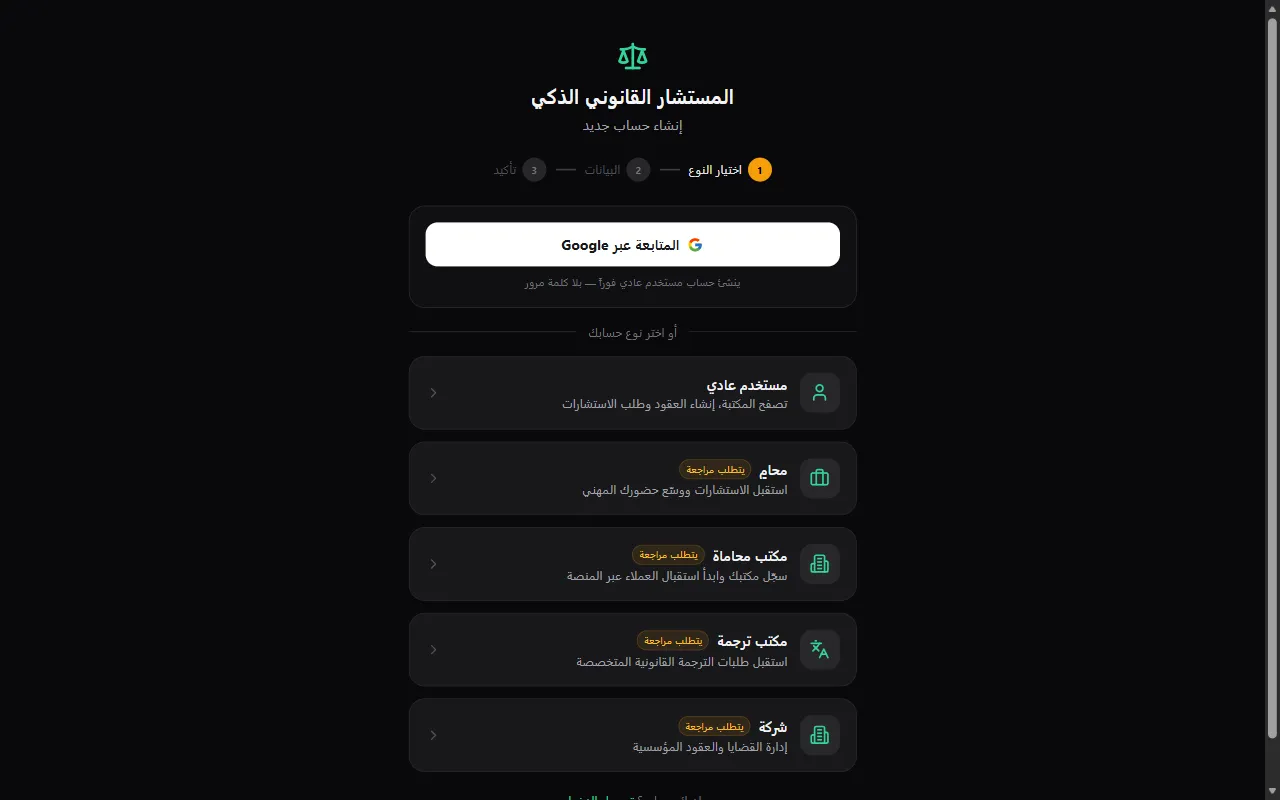
Fastest for regular users: continue with Google
The “Continue with Google” button creates a regular user account instantly, with no password.
Or choose your account type
Regular user, lawyer, law firm, translation office, or company. Professional types carry a “Requires review” badge because the admin team verifies their details before activation.
Fill in your details
Regular users: email and password (at least 8 characters); name and phone are optional. Lawyers: full name, bar association ID number, membership date, specialization, country and province, work phone and address. Firms and companies: official name, contact person, phone, country and province, address.
💡 Country, province, and specialization are used to route the right requests to you — choose them carefully.
After submitting
Regular users go straight into the platform. Professional accounts receive an email once activated — review usually takes 24 to 48 hours.
Signing in
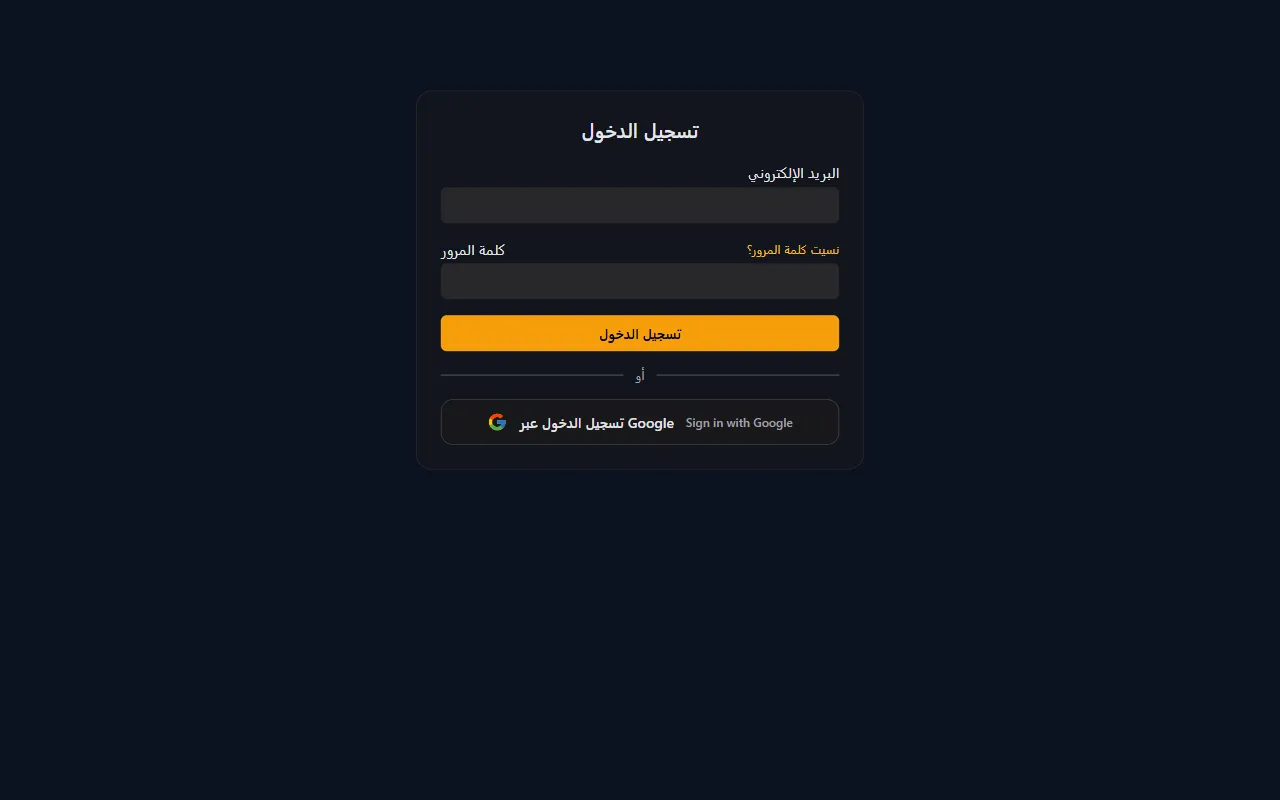
With email and password, or with Google
From the “Sign in” page. After signing in you return to the page you were on.
💡 After 5 wrong attempts for the same email, sign-in pauses for 15 minutes to protect your account.
Forgot your password?
Request a recovery link
Press “Forgot your password?” on the sign-in page and enter your registered email.
Open the link in your email
The link is valid for one hour and can be used once. If you can't find it, check your spam folder.
Choose a new password
At least 8 characters, then sign in with it.
An account created for you by the admin team
If the admin team registered you (as a lawyer, firm, or company), you'll receive an invitation email.
Open the invitation link and choose your password
The invitation link is valid for 24 hours. If it expires, request a new one via “Forgot your password?” with the same email.
Frequently asked questions
I typed my email and got “This email is already registered”?
You already have an account. Use “Sign in with this email”, or “Recover password” if you forgot it.
I requested a recovery link but no email arrived?
Check your spam folder, and make sure it's the same email you registered with. You can request a new link after a few minutes (up to 3 requests per hour).
When will my professional account be activated?
After the admin team reviews it, usually within 24 to 48 hours — you'll get an email.
Ready? Put the steps into practice now.
Create account →