The legal library: search, read, and get explanations
Search laws, constitutions, and studies, read the original text, and ask for a simple or professional explanation.
Who this guide is for
Everyone — browsing and reading are available without signing in.
Before you start
- Nothing, to browse and read. Smart explanations, favorites, and notes require signing in.
Searching
Type in the search box on the library page
Type the law's name or subject, such as “employee salaries” or “criminal procedure”.
💡 Arabic spelling variations don't matter: hamzas and word forms are matched automatically. You can also search by a law's number and year, such as “22 of 2008”.
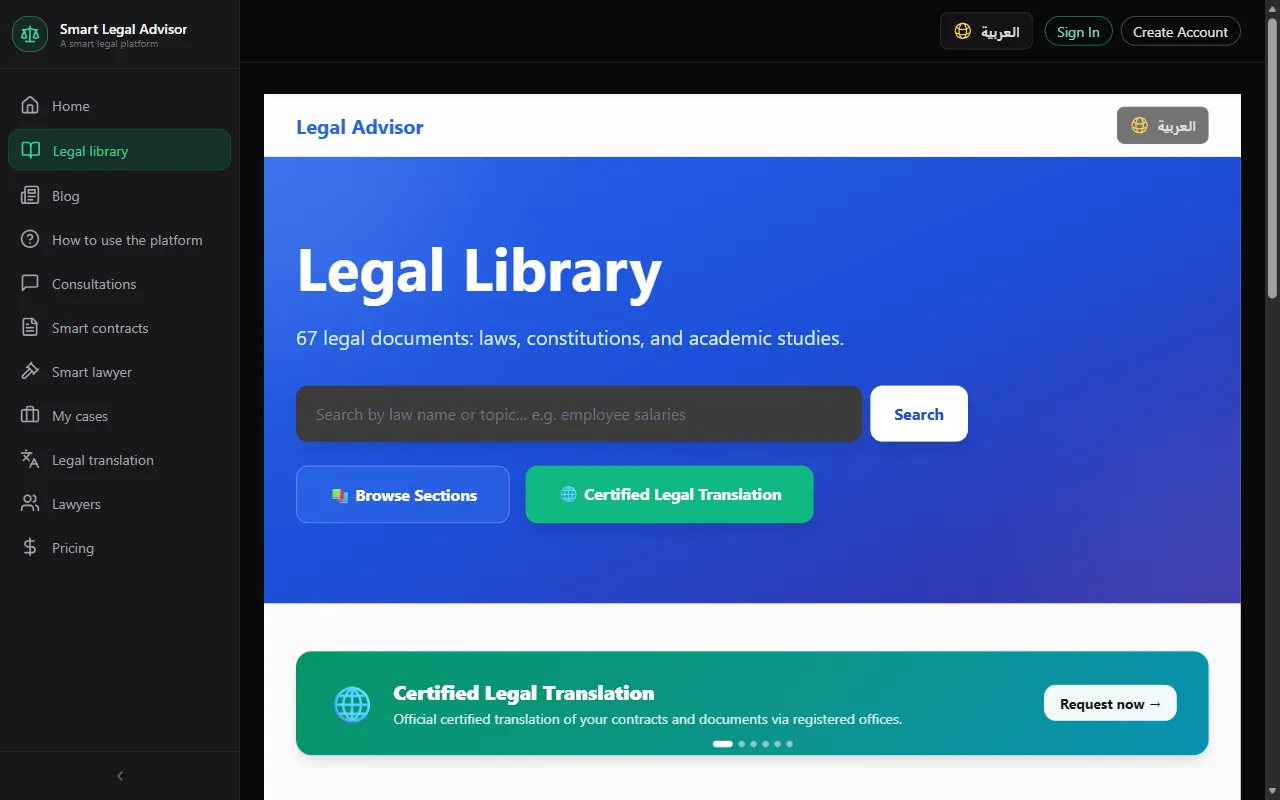
Narrow the results by category
Laws, jurisprudence (fiqh), academic studies — from the category buttons above the search results.
Reading
Open the document
The document's details (type, year, jurisdiction) appear, followed by the original text as a PDF inside the page.
Download the original
The “Download PDF” button saves the document to your device.
Explanations and tools (after signing in)
Ask for an explanation at the level that suits you
From the explanation panel choose: “Simple explanation” for general readers, “Legal analysis” for specialists, or “Business view” for companies and investors. If the document already has a saved explanation it appears instantly; otherwise, paste the text of the article you want explained into the box and ask for the explanation.
💡 Explanations are guidance only and are no substitute for consulting a lawyer about your situation.
Favorites and notes
Add the document to your favorites and write your notes on it. Your notes are private — no one else sees them.
Frequently asked questions
The PDF doesn't show on my phone?
Some mobile browsers can't display PDFs inside the page. Use “Download PDF” to open it in your reader app.
Are the explanations legally accurate?
They help you understand and are based on the article's text, but they are not a binding legal opinion. For important decisions, consult a lawyer.
Ready? Put the steps into practice now.
Open the library →