Generating ready-made contracts
Pick the jurisdiction and template, fill in the details, preview the contract, then download a PDF ready to sign — in Arabic or English.
Who this guide is for
Lawyers who want to draft their clients' contracts quickly from reliable templates, then adjust them.
Before you start
- A registered account.
- The Lawyer plan or the Business plan.
From template to PDF
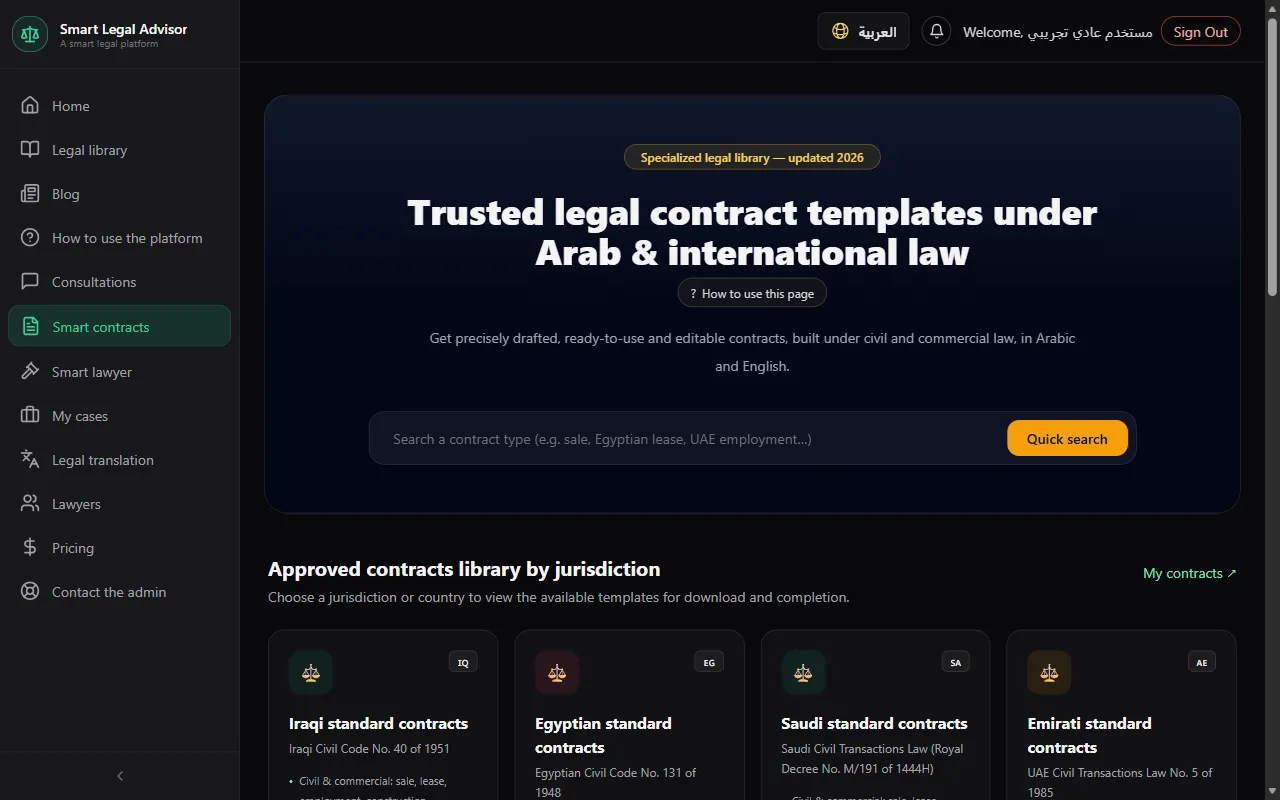
Open “Contracts” and choose the jurisdiction
Iraqi, Egyptian, Emirati, Jordanian, Saudi, Kuwaiti, Qatari, Bahraini, or Omani contracts — or international trade contracts (Incoterms® 2020).
💡 “Quick search” finds a template directly: type, for example, “Egyptian lease” or “Emirati employment contract”.
Choose the template
Sale, lease, employment, construction, partnership, agency, services, and more.
Fill in the fields
The “form completion” indicator shows what is left. Required fields are marked, and the contract can't be generated until they are filled.
Review the “Contract preview”
The preview updates with every field you fill.
Press “Generate contract (PDF)”, then “Open PDF”
The contract is ready to print and sign.
Come back to your contracts any time
From “My contracts”.
Cost
- Included in your plan, with no points.
Full details in the plans and points guide.
Frequently asked questions
Is the contract ready to use as is?
The templates are drafted according to civil and commercial law, but review the clauses to make sure they match your agreement — and for important contracts, it's best to have a lawyer review them.
Can I edit the contract text after generating it?
You control the details through the fields before generating. For free-form edits to the text, edit the file after downloading it.
Ready? Put the steps into practice now.
Open contracts →