Consultations: instant AI, a lawyer, or a law firm
Three ways to get advice: an instant AI answer, offers from accredited lawyers, or a specific law firm.
Who this guide is for
Anyone who needs a legal opinion on a matter that concerns them.
Before you start
- A registered account.
- Your first AI consultation is free; after that, points or a plan.
- Requesting a lawyer or a firm doesn't require a plan — you pay the fee to the platform when accepting an offer, and it's paid out after the consultation is completed.
Option 1: Instant AI consultation
For quick answers and a first understanding of your matter.
Open “Consultations”, then the “Instant AI consultation” tab
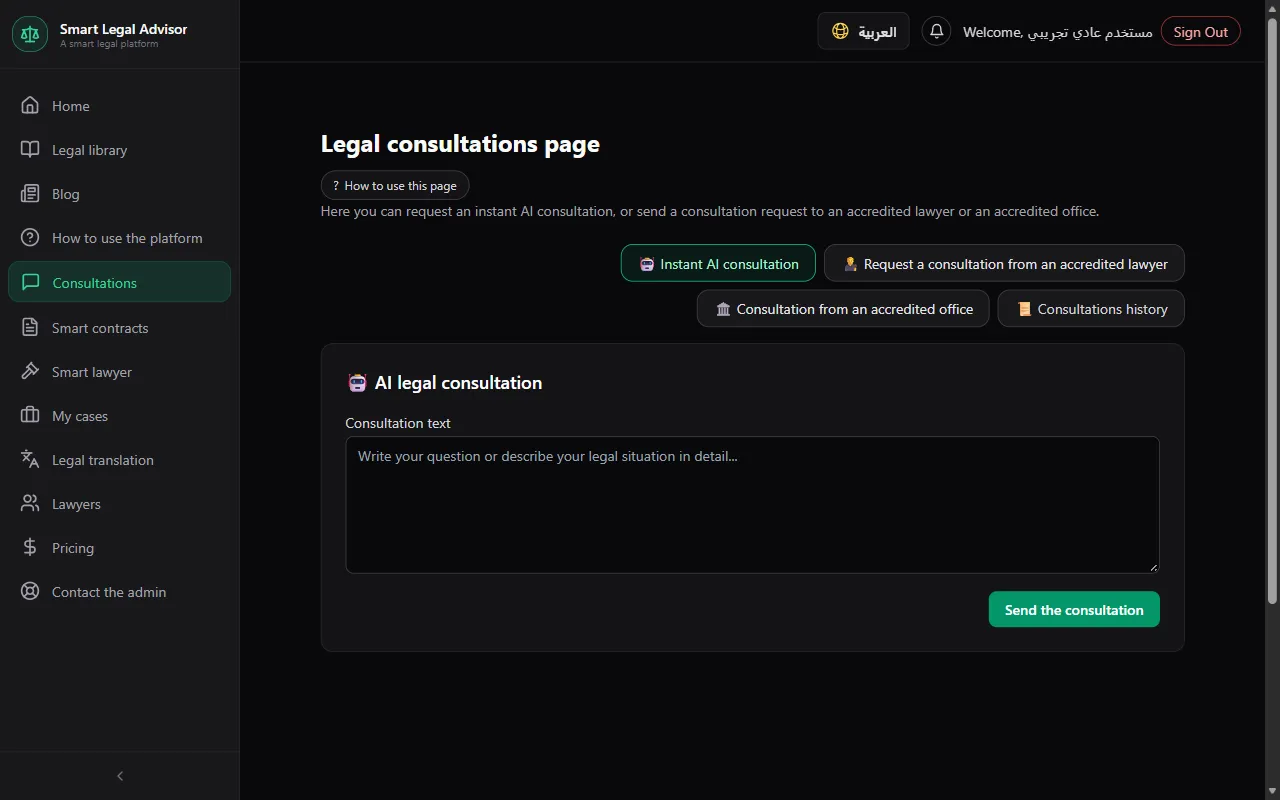
Write your question in detail
Include the key facts: what happened, when, in which country, and what you want.
💡 If you write your question before signing in, it's saved and restored automatically after you sign in — no need to retype it.
Press “Send the consultation”
The answer appears on the page and is saved in “Consultations history”.
Option 2: Request a consultation from an accredited lawyer
For matters that need a specialist lawyer's opinion and personal follow-up.
Open the “Request a consultation from an accredited lawyer” tab
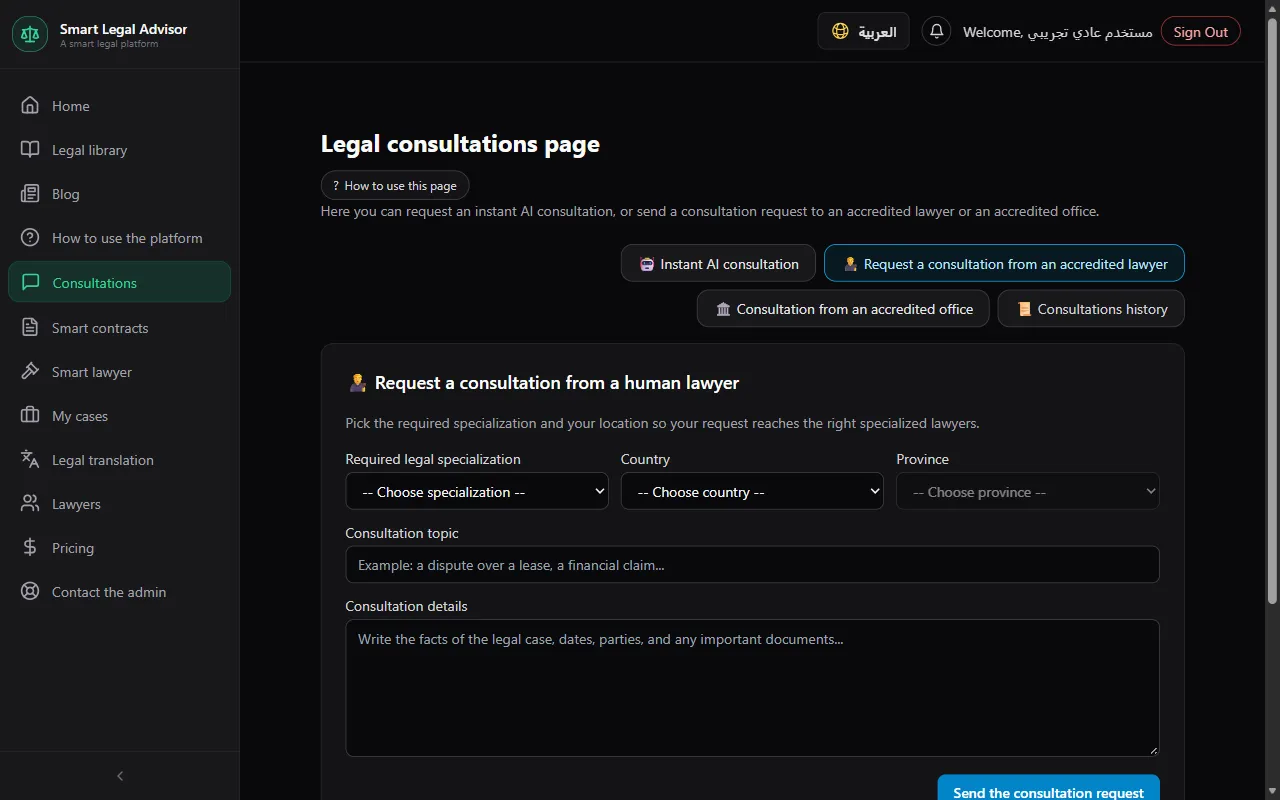
Choose the specialization, country, and province
Your request reaches the lawyers who match these criteria, and they send their offers.
Write the consultation topic and details, then send
Wait for offers
Each offer shows the lawyer's fee and their note (what the offer covers and how long it takes). You'll find them in the “Consultations history” tab.
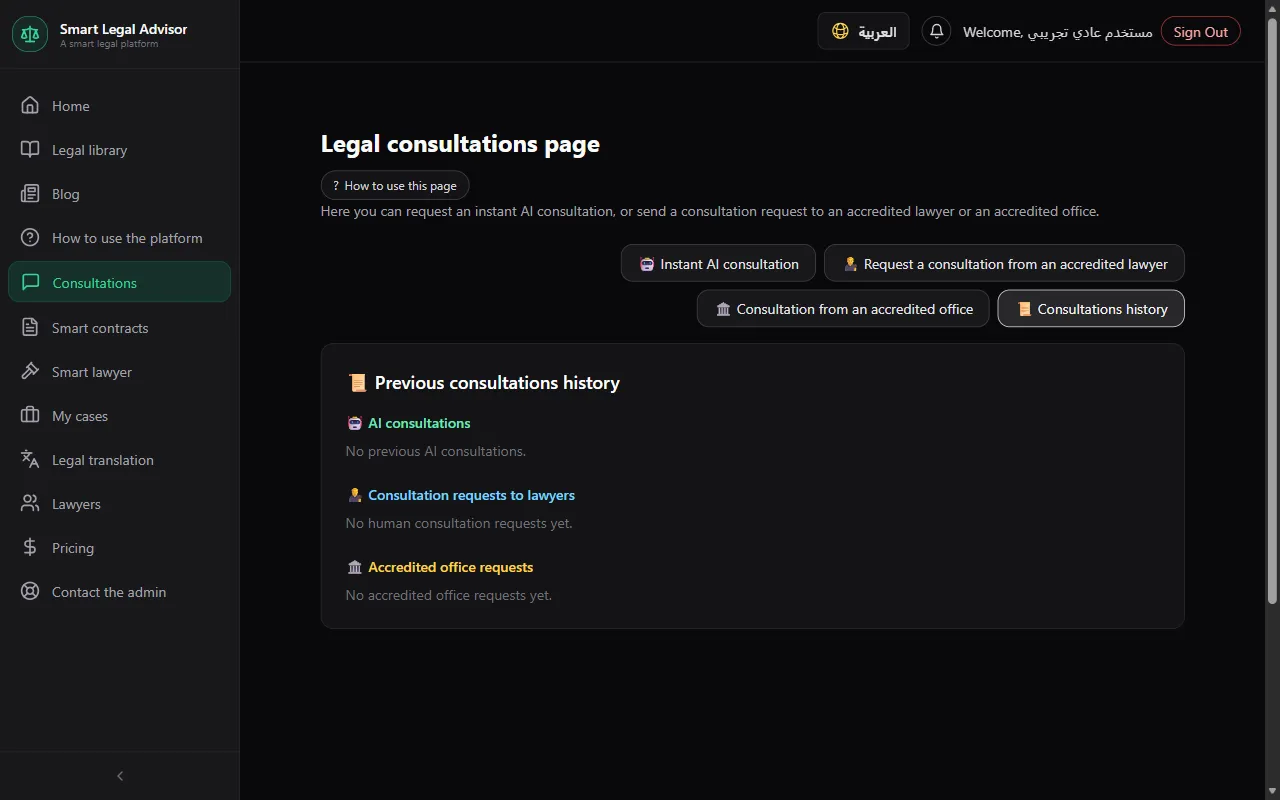
Accept the best offer
Accepting opens a private chat room between you and the lawyer. If online payment is enabled, you pay the fee first and then the chat opens.
When you're done, press “✓ Consultation completed”
From “Consultations history”. It moves to “Completed” and the lawyer is notified — and the chat history stays available to you.
Option 3: Consultation from an accredited law firm
When you want a specific firm, or a branch near you.
Open the “Consultation from an accredited office” tab
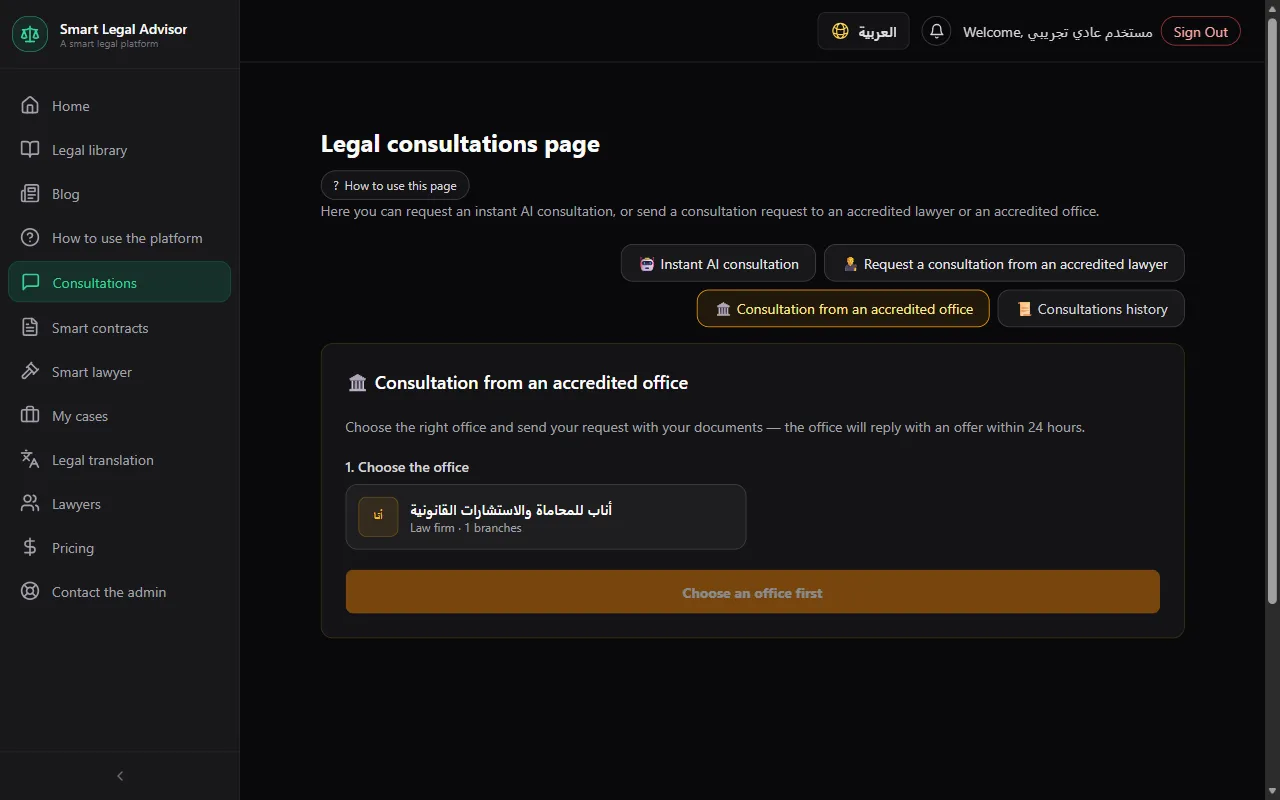
Choose the firm, then the branch if the firm has more than one
Write the topic and details, and attach documents
You can attach up to 5 files (a contract, notice, judgment...).
Accept the firm's offer and pay
The firm's offer (fee and delivery time) arrives in “Consultations history”. Press “Accept and pay” and pay through the platform, or decline it. The chat with the firm opens once your payment is confirmed.
💡 The platform holds the money until the firm completes the consultation. If the firm misses the due date, a “Request a refund” button appears. If the firm doesn't reply within 3 days, or you don't pay within 3 days of the offer, the request is canceled automatically.
Statuses you'll see and what they mean
- Awaiting offers
- Your request reached the matching lawyers and you haven't accepted an offer yet.
- Awaiting payment
- You accepted an offer; the chat opens after you pay the fee (when online payment is enabled).
- Accepted
- You've reached an agreement and the chat room is open.
- Completed
- The consultation was closed by you or by the lawyer.
- Canceled
- The request was canceled.
Cost
- Your first AI consultation is free — once per account.
- AI consultations after the first: 1 point each.
- Points buyers: one free AI consultation every 7 days, for 30 days after your latest points purchase.
- The lawyer sets their fee in their offer, and it is paid to them when you accept the offer — no points are deducted.
- The law firm sets its fee in its offer (in IQD); you pay it to the platform when accepting, and the firm is paid only after the consultation is completed.
Full details in the plans and points guide.
Frequently asked questions
I haven't received any offers from lawyers?
There may be no available lawyer matching the specialization and province right now. Try broadening the criteria (for example, leave the province empty), or request a law firm directly.
I've used my free consultation — what now?
Buy points (a consultation costs 1 point), and you'll also get a free consultation every 7 days for 30 days. Or subscribe to the Individual plan.
Is the AI consultation a substitute for a lawyer?
No. It's for a first understanding. For cases and important decisions, request a lawyer.
Ready? Put the steps into practice now.
Start your consultation →