Translation: instant smart or official certified
Understand your document instantly with smart translation, or request a certified official translation from an accredited office for official authorities.
Who this guide is for
Anyone who needs a contract, judgment, or official document translated, or wants to understand a document in another language.
Before you start
- A registered account.
- Smart translation: 2 points per translation (or a plan).
- Official translation: you pay the office's quoted price through the platform.
Certified official translation (for courts, embassies, and government departments)
Open “Legal translation”
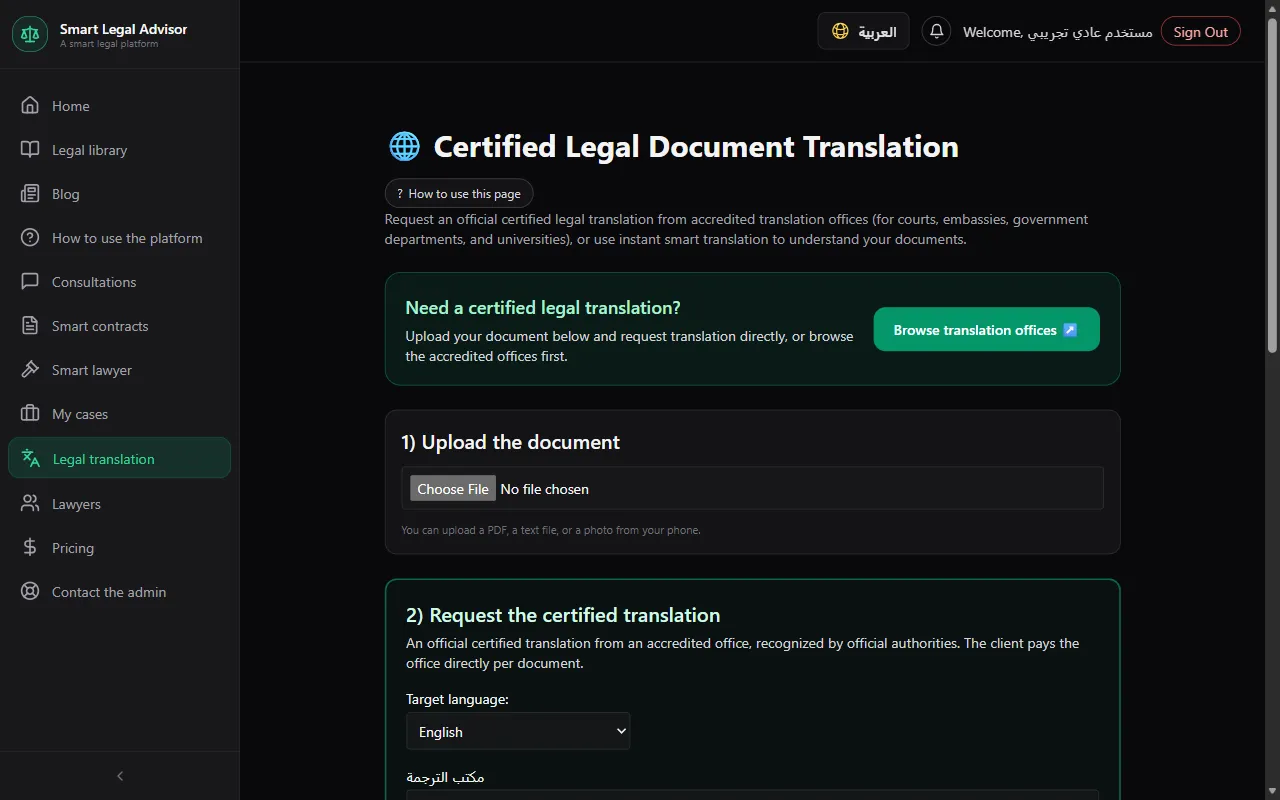
1) Upload the document
A PDF or a photo from your phone. You'll see “Document uploaded successfully”.
2) Request the certified translation
Choose the accredited translation office and the target language (Arabic or English), then send the request.
💡 You can browse the accredited offices first from “Browse translation offices”.
Accept and pay
From “My official translation requests”: the office's price and delivery time appear. Press “Accept and pay” and pay through the platform, or decline the offer. Translation starts as soon as your payment is confirmed.
💡 The platform holds the money and pays the office only after the translation is delivered. The offer is canceled automatically if you don't pay within 3 days.
Receive the translation
Once it's done, the office uploads the translated file and you download it from “My requests”. After payment, a chat with the office opens for translation details.
Instant smart translation (for understanding only)
Open the “Instant smart translation” tab and upload the file or paste the text
Text from PDF and Word files is extracted automatically on upload. If it can't be (an image or a scanned document), paste the text in the box.
Choose the languages and the translation type
Languages: Arabic, English, French, Turkish, Persian. Types: free translation with rephrasing, formal legal style, simplified for general understanding, or with strict legal review.
Press “Translate now”
Then “Copy translation” if you like.
Statuses you'll see and what they mean
- Waiting for the office to price it
- Your request was sent and is waiting for the office's price.
- Priced — pay to start the translation
- The offer arrived; pay through the platform to start the work, or decline it.
- Being translated
- The office is working on the translation.
- Completed
- The translation is ready to download.
Cost
- Smart translation: 2 points per translation.
- Official translation: you pay the office's quoted price to the platform before work starts, and the office is paid only after delivering the translation.
Full details in the plans and points guide.
Frequently asked questions
I sent a request and the office didn't respond?
The office gets a reminder after a day, and if it doesn't price it within 3 days, the request is canceled automatically at no cost and we notify you to send it to another office. You can also cancel it yourself before then.
What if the office misses the delivery date after I've paid?
Your money is held by the platform and isn't paid to the office before delivery. If it's late, we notify you and the office, and a “Request a refund” button appears in “My translation requests”; if the admin refunds you, the request is canceled.
Is smart translation officially accepted?
No. It's a machine translation for understanding only. For official authorities, request a certified translation from an office.
The file is a scanned image and its text wasn't extracted?
Automatic extraction only works with text-based PDF and Word files. Paste the text in the box and we'll translate it. Official translation doesn't need text extraction — the office works on the file itself.
Ready? Put the steps into practice now.
Open translation →